Fuel level visibility
Use fuel level visibility to improve visibility, coordination and review within the relevant operation.
Solutions
Receipts and driver reports can hide fuel loss. Omtrack fuel monitoring system Tanzania tracks levels, refuelling and consumption patterns, helping businesses control costs with clearer evidence.
fuel monitoring system Tanzania
Visibility that supports action Mobile and desktop access • Local installation supportVehicles we support
Omtrack GPS tracking works with a wide range of cars, buses, trucks and special-purpose vehicles from different brands.




Compatibility and available features depend on the vehicle model, tracking device and installation assessment.
A clearer operational view
A fuel monitoring system uses sensors and software to measure and record fuel information from a vehicle’s tank.
Depending on the vehicle, sensor and selected package, the system may show:
Authorised users can access this information through the Omtrack platform using a phone or computer.
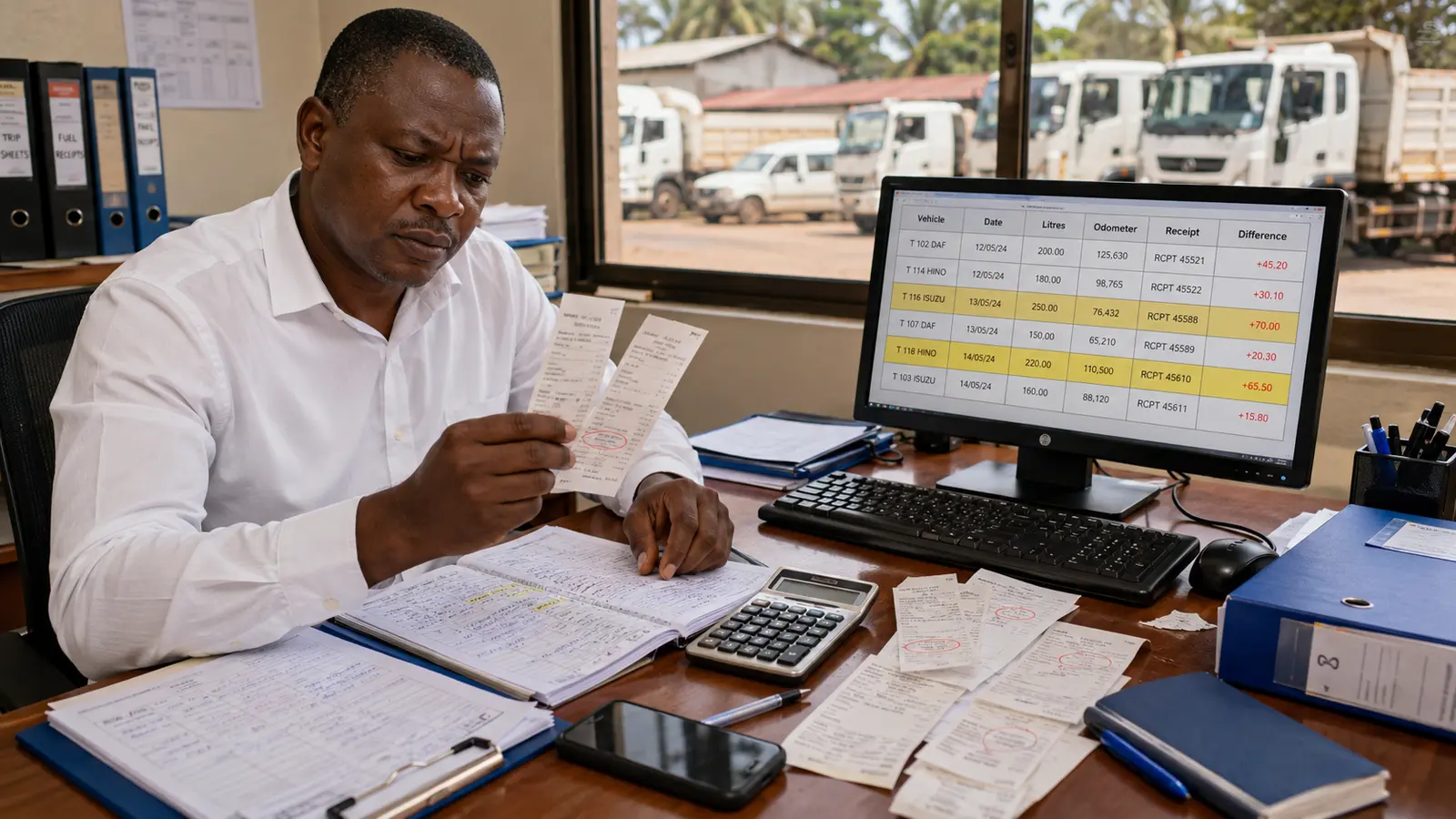
Many companies know how much they spend on fuel but do not have a clear picture of how that fuel is used.
Common challenges include:
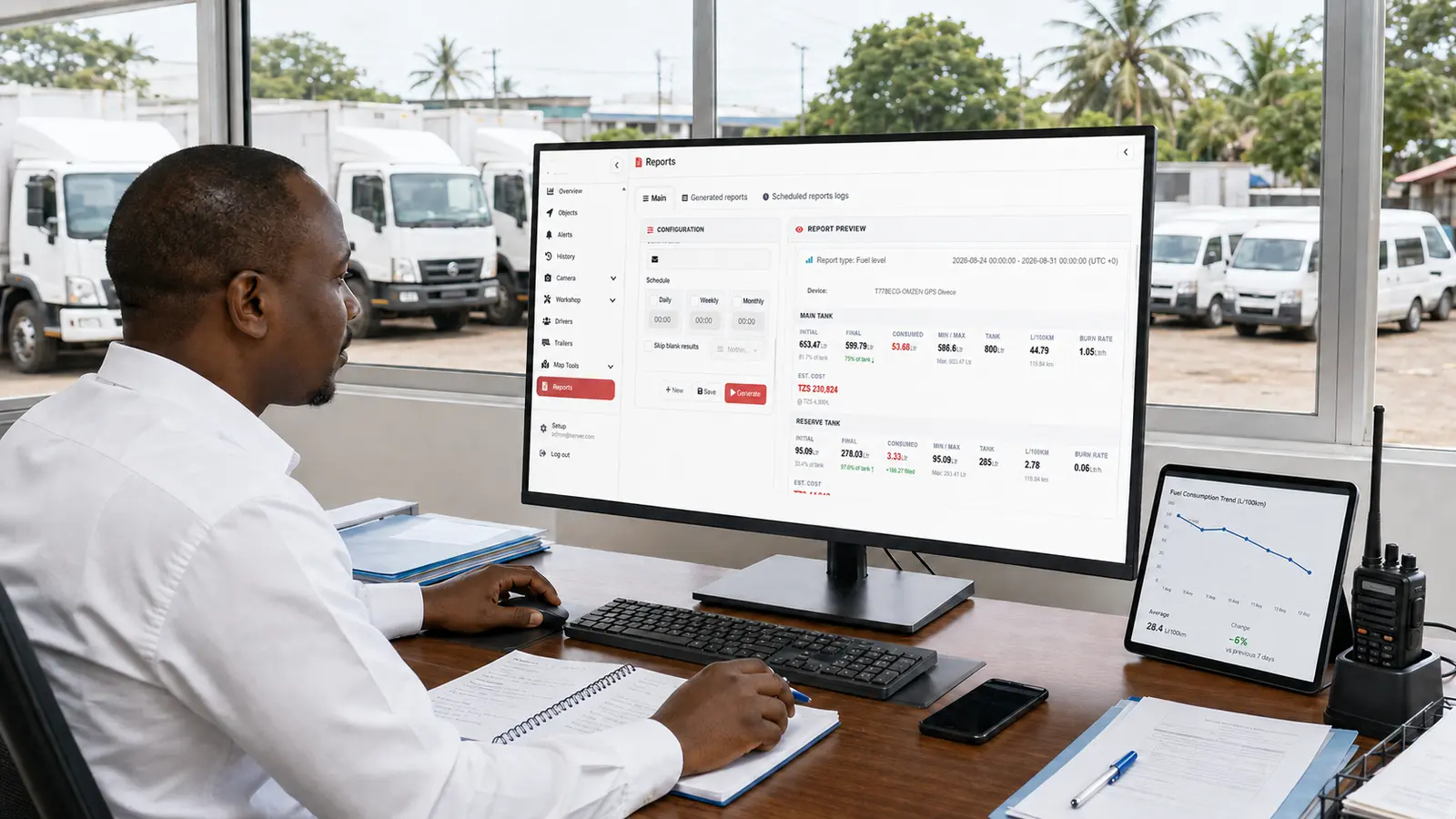
A fuel monitoring system helps managers compare fuel information with vehicle location, route and trip activity.
This makes it easier to identify unusual patterns and decide what needs further investigation.
The operational challenge
Depending on the installed sensor and selected package, Omtrack can send an alert when the system detects a sudden change in the fuel level.
A sudden drop may be caused by:
For this reason, a fuel-drop alert should not automatically be treated as proof of theft.
Managers should review the vehicle’s location, trip history and other available information before speaking with the driver or taking further action.
Fuel monitoring can help your company review when and where vehicles are refuelled.
Managers may compare recorded refuelling events with:
This can help identify missing information, recording mistakes and unusual refuelling patterns.
Fuel-monitoring reports can help managers understand how much fuel each vehicle uses.
Consumption may be reviewed by:
This makes it easier to compare vehicles and identify units using more fuel than expected.
Higher consumption does not always mean misuse. It may result from heavy loads, poor roads, traffic, excessive idling, mechanical problems or driving behaviour.
The information gives managers a starting point for further investigation.
A vehicle can consume fuel even when it is not moving.
The Omtrack platform can help managers identify long idle periods when supported by the installed tracking setup.
Repeated idling may happen while:
Managers can review the reason for each situation and decide whether the idle time can be reduced.
Long and poorly planned routes can increase fuel consumption.
Fuel information can be reviewed together with GPS location and trip history. This helps the operations team identify:
Dispatchers can use this information to improve future route and vehicle-assignment decisions.
A sudden increase in fuel consumption may be linked to a mechanical problem.
Possible causes include:
Fuel monitoring does not diagnose the vehicle. It can show a change that may need inspection by a qualified mechanic.
Omtrack can turn recorded fuel activity into reports that are easier to review.
Depending on the selected setup, reports may include:
These reports can support budgeting, vehicle comparisons and operating reviews.
Practical capabilities
Use fuel level visibility to improve visibility, coordination and review within the relevant operation.
Use consumption trends to improve visibility, coordination and review within the relevant operation.
Use refill records to improve visibility, coordination and review within the relevant operation.
Use sudden-drop alerts to improve visibility, coordination and review within the relevant operation.
Use trip comparison to improve visibility, coordination and review within the relevant operation.
Use fuel reports to improve visibility, coordination and review within the relevant operation.
From information to action
When you can see what is happening, it becomes easier to act. Managers can check progress, look into a delay and assign the next vehicle using current information. This is especially helpful when vehicles are spread across different routes, towns or project sites and nobody in the office can watch every journey directly.
Clear records can also make accountability less stressful. Instead of arguing over memory, a manager and driver can look at the same route or alert. Over time, reports may show repeated delays, long idle periods, vehicles that are rarely used or routes that need attention. Omtrack gives you the information; your team keeps control of the final decision.
Local understanding
Omtrack combines GPS tracking with practical fleet and logistics tools for fleet operators seeking clearer information about fuel levels, consumption patterns and suspicious changes.
It is designed around the way businesses operate in Tanzania, including different vehicle types, mobile access and the need to speak with a local support team when help is needed.
You can start with the features that matter now and add more as your operation grows.
We want the system to feel useful, not technical for the sake of it.
Professional installation, a clear dashboard and guided onboarding help your team get comfortable with the platform.
Software cannot fix every business challenge on its own, but the right information can make supervision, planning and customer updates much easier.
A practical example
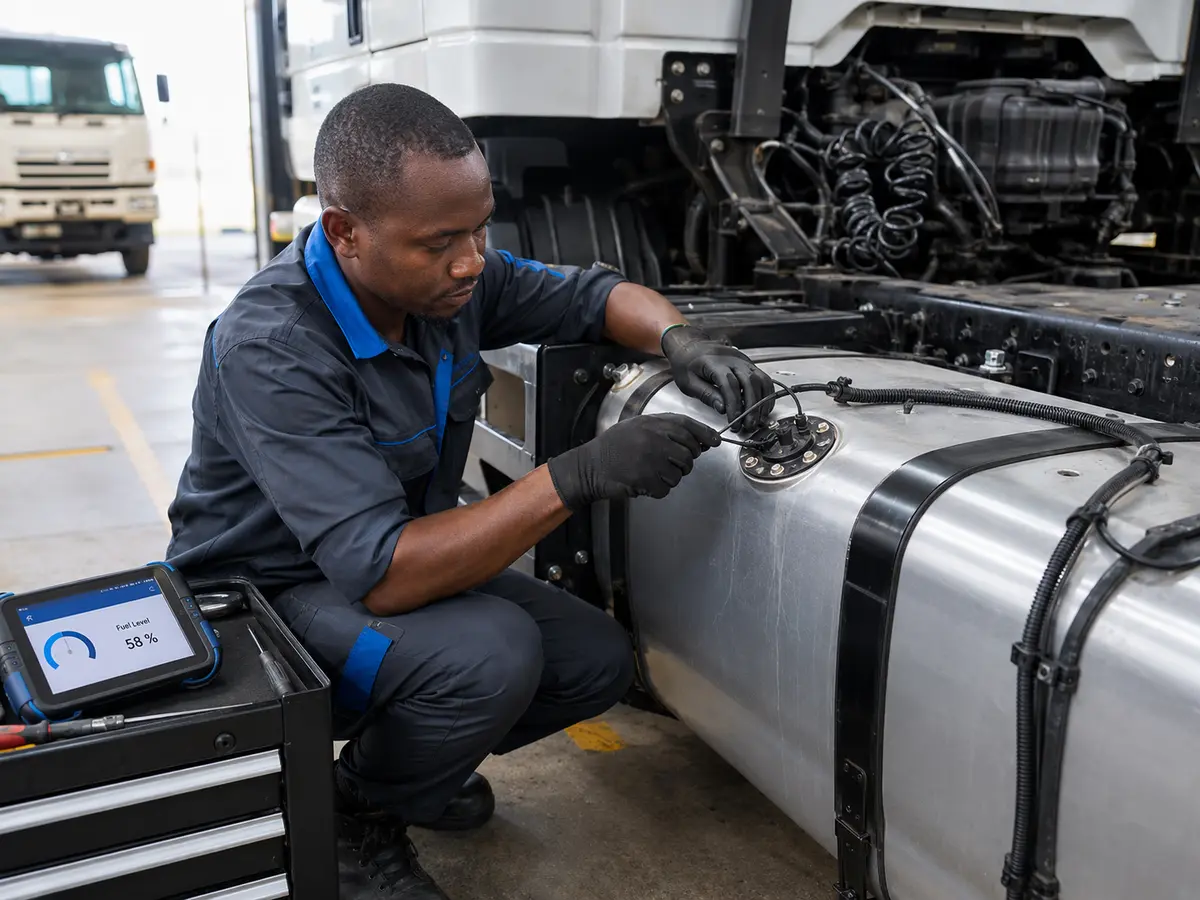
A suitable fuel sensor is professionally installed and calibrated for the vehicle’s fuel tank.
The type of sensor required may depend on:
Not every sensor is suitable for every vehicle, so the vehicle and tank should be assessed before installation.
The sensor measures the available fuel level in the tank.
The information is sent to the connected GPS tracking device and then transmitted to the Omtrack platform.
The system records when and where fuel activity occurs.
Managers may be able to see:
This connection between fuel, time and location gives managers more useful context.
Authorised users can log in to the Omtrack platform and review available fuel information.
Managers can check current fuel levels, consumption trends, refuelling events and available alerts without waiting for the vehicle to return to the office.
The operations team can compare fuel reports with:
The company can then investigate unusual events and decide the most appropriate action.
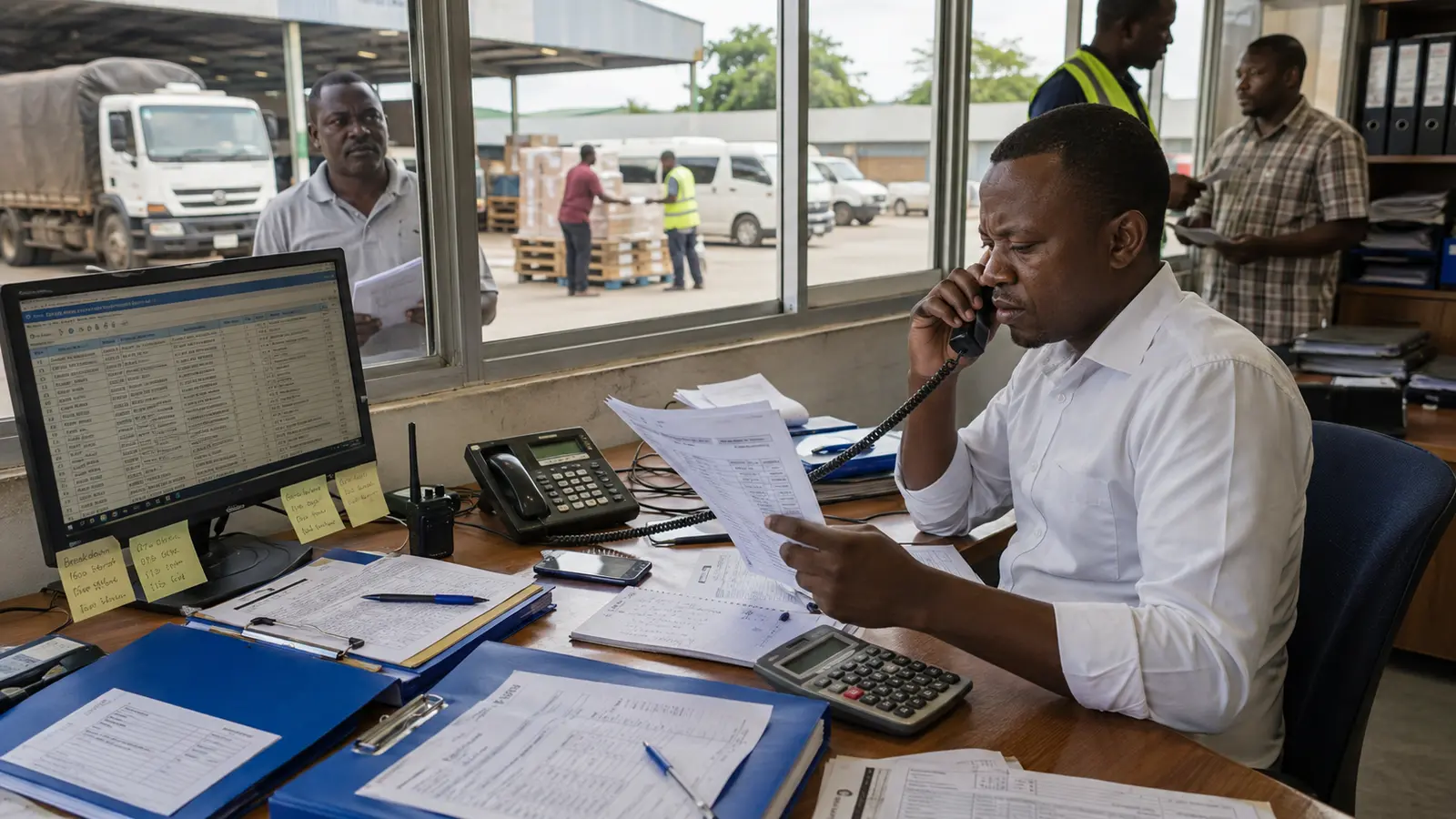
Customer perspective
 TBS
TBS LATRA
LATRA Tanzania Police
 TRA
TRA SUMATRA
 WMA
WMAHelpful answers
It is a good fit for fleet operators seeking clearer information about fuel levels, consumption patterns and suspicious changes. Your best setup will depend on how many vehicles you have, where they travel and what your team wants to improve. During a demo, we can talk through those needs and show you the most relevant features.
Yes, mobile access is an important part of the Omtrack experience. Authorised users can check relevant vehicle information and alerts while away from the office. The exact tools you can access will depend on your package and the permissions given to each user.
Yes. Omtrack can support a small fleet and grow with you. Your starting setup should match the number and type of vehicles you have, the alerts you need and whether you also want tools such as fuel monitoring, driver monitoring or dispatch management.
Reports can show vehicle movement, trips, stops, alerts and other information recorded by your chosen setup. The details depend on the devices and software features included. During a demo, we can show you the reports that make the most sense for your operation.
Request a demo or quotation and tell us how many vehicles you have, the vehicle types, where you operate and which features matter to you. Omtrack can then suggest a suitable setup and explain the device, installation, software and support costs clearly.
A clearer fleet starts here
Want to see how fuel monitoring system Tanzania could work for your business? Book a personalised Omtrack demo. We will look at your vehicles, your daily workflow and the features that matter most to you. You can also contact the Omtrack team by phone or email using the details provided on this website.